- New & Updated Professions
- Claim your page
- Manage your page controls
- Manage your images
- Manage your videos
- Manage your filmography
- Manage your professions
- How do I remove my age / birthyear?
- Manage your personal details
- Manage your performer profile & credentials
- Setting your vanity URL & other external websites
- Manage your Client List with Shared Editing
- Where and how will my Featured Images be displayed?
- Who is using my name on IMDb?
- Verified affiliations on IMDbPro
Setting your vanity URL & other external websites
Access to these features require either an IMDbPro Premium Subscription or an IMDbPro Basic Subscription. See more on the IMDbPro Subscription comparison page.
How do I customize my IMDb URL?
IMDbPro members can select a custom Vanity URL that will redirect users to their page on IMDb. Vanity URLs will have the following format:
www.imdb.me/[VanityURL]
To set your Vanity URL on the desktop version of IMDbPro, please take the following steps:
- Go to your IMDbPro page
- Under your Credits summary on the Overview tab, click the "Edit vanity URL" button
- Enter your Vanity URL and select "Save"
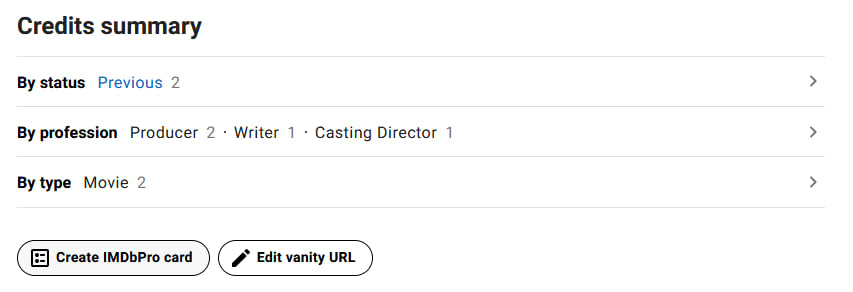
To set your Vanity URL on the IMDbPro mobile app, tap the pencil icon next to External Links on your IMDbPro page Overview tab.
If a vanity URL is showing as taken, you will need to select a different Vanity URL.
If you are waiting for your IMDb page to be created, your Vanity URL will work once your page is live on IMDb.
How do I add or update my X (formerly Twitter) link?
As an IMDbPro member, you can link your X (formerly Twitter) account to your IMDb page.
To add or update your X (formerly Twitter) account, please go to the Vanity URL, X & Blog page, enter your X username in the field and click "Save"
To remove your X (formerly Twitter) account, please delete your X username from the field and click "Save".
Ready to get started?
